

I'd been putting it off for fifteen years. One afternoon was all it took.
How I finally digitized my father's slides at the kitchen table, without a computer. And why you can do it too.
 By Catherine M., 56 · Updated 10/26/2026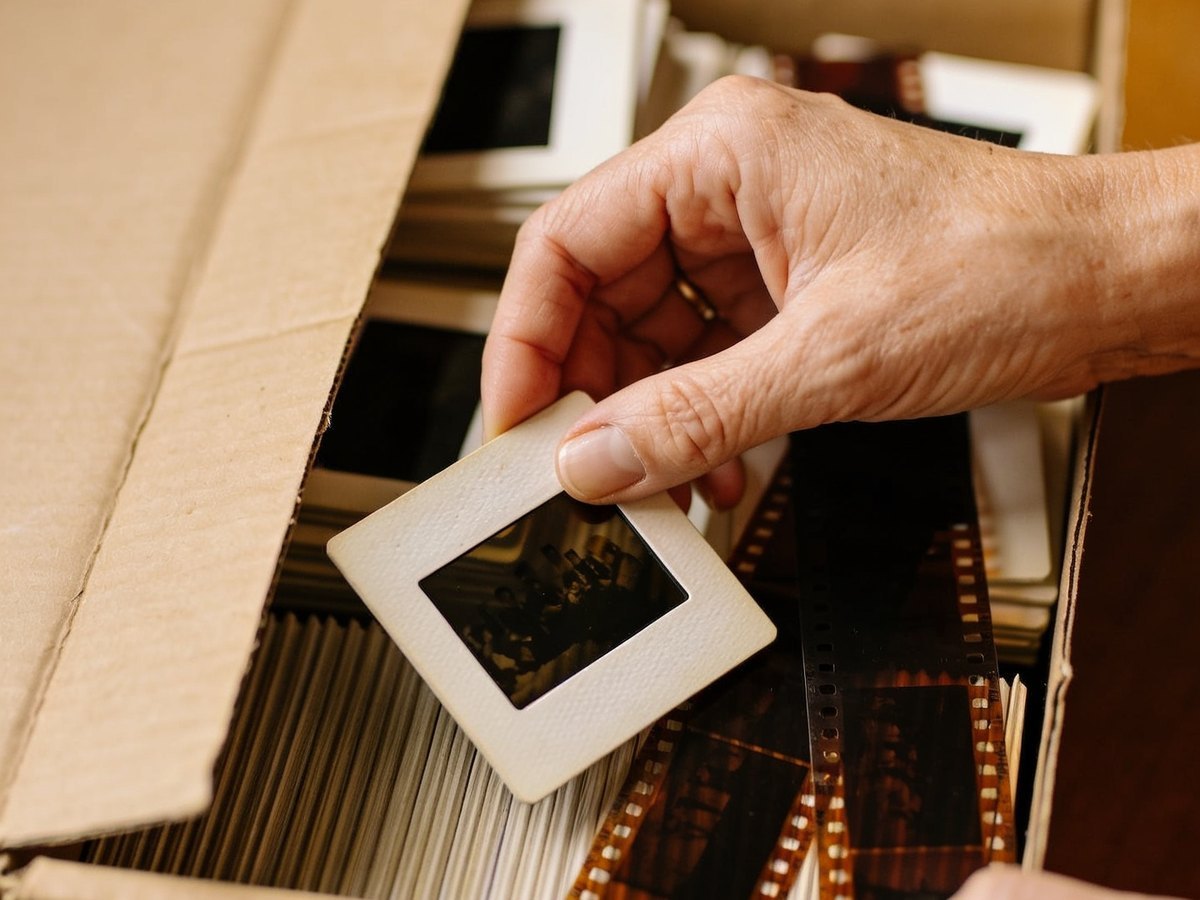
There's a box of slides somewhere in your home.
You know you should do something about it.
But every time you looked into how to digitize them, it was more complicated than you expected. So the search stops, and the box stays where it is.
I know, because mine did exactly that. For fifteen years.
It was my father's box. His slides from the sixties and seventies, stored in little cardboard cases, with his handwriting on the labels: "Brittany 69", "Christmas 72", "The kids".
When he passed away, the box came to me. And it stayed in the hall closet.
What I'd found until then
If you've ever looked, you know how it goes.
Mail-in labs: they ask you to send your originals through the mail, they charge you per slide, and you wait three weeks hoping the package makes it.
Flatbed scanners: software to install, settings, a computer that has to keep up, and a twenty-minute video just to figure out the first image.
Phone apps: a blurry photo of a slide held up to the window.
Every time, I told myself: "I'll deal with it later."
What nobody had told me
Every year the slides stay in their box, they get a little harder to save.
The colors shift. Red takes over. The film becomes brittle.
A slide that looks fine today will be more damaged in five years than it is right now.
I'm not saying this to scare you. Most of what's in your box is probably still in good shape.
But when I finally opened mine, a few slides at the bottom had already turned pink. Too late for those.
That was the day I stopped putting it off.
Three weeks of comparing
I read reviews, forums, spec sheets. Plenty of devices "work". But all of them seemed to demand something from me: a computer, software, patience.
I was this close to giving up one more time.
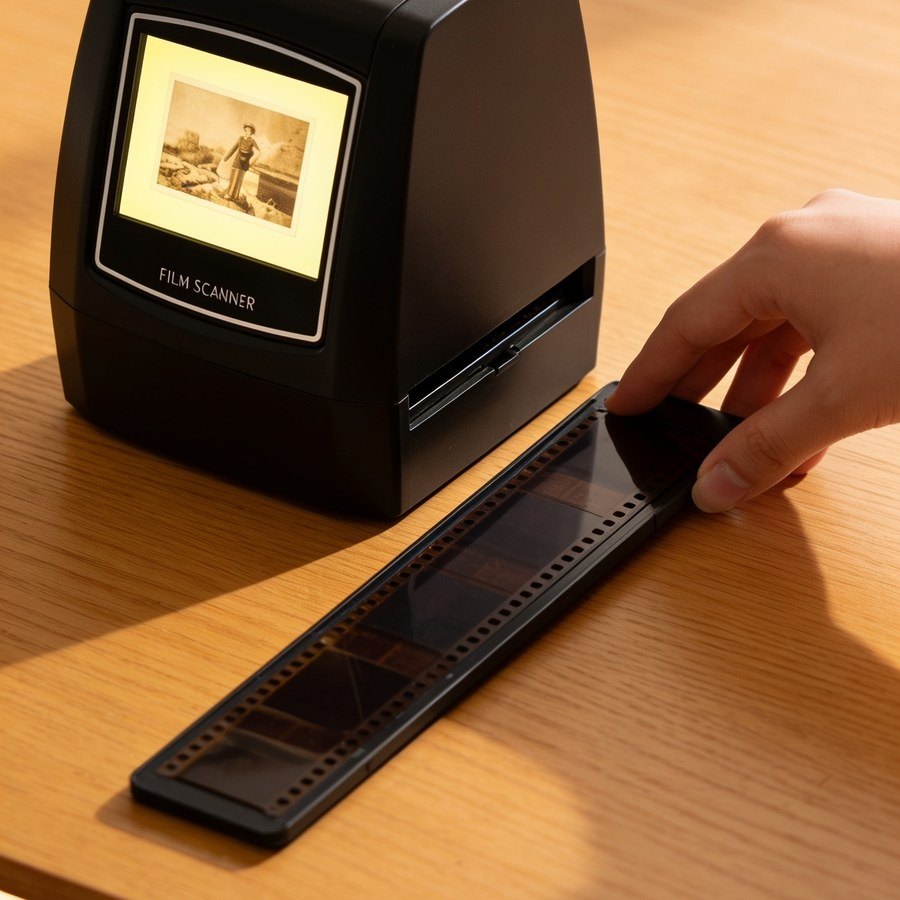
And then I came across a small device nobody had mentioned in my searches. A black cube, with its own screen.
The Bellaby Memory Scanner.
Compared to everything else, it almost looked too simple.
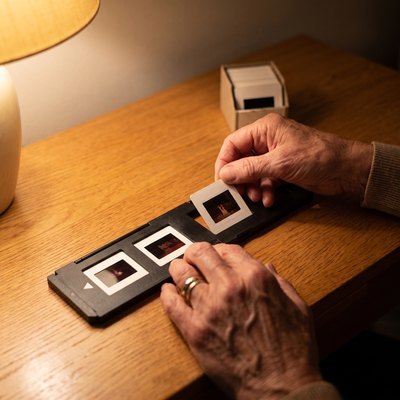
You put the slide in the holder. You slide the holder into the slot. You press the button. Three seconds later, the photo is on the screen, and saved to the memory card.
That's it. No computer. No software.
Honestly, I didn't fully believe it. So I read the reviews.
"I'm hopeless with technology, and I figured it out in five minutes."
"I'm seventy-two. The guide can be read without a magnifying glass."
"Two hundred slides the first weekend."
People like me. I ordered.
The first photo
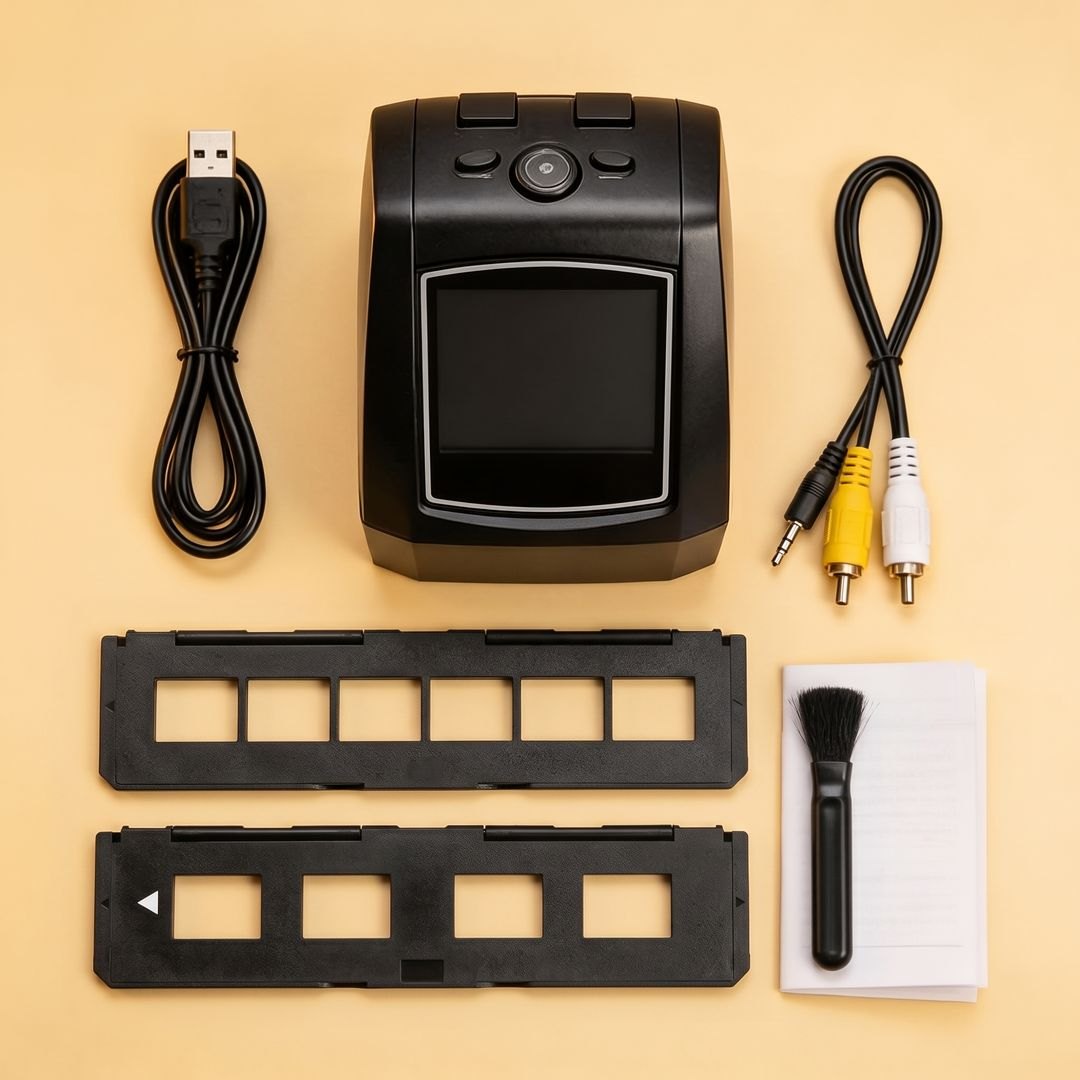
The package arrived a few days later. I set it on the kitchen table. Everything was in the box: the device, the slide holder, the negative holder, the cables and the brush.
And in my inbox, the guide in English, in large print.
I took the first slide from the "Brittany 69" case. I placed it in the holder. I pushed the holder into the slot. I pressed the button.
Three seconds.
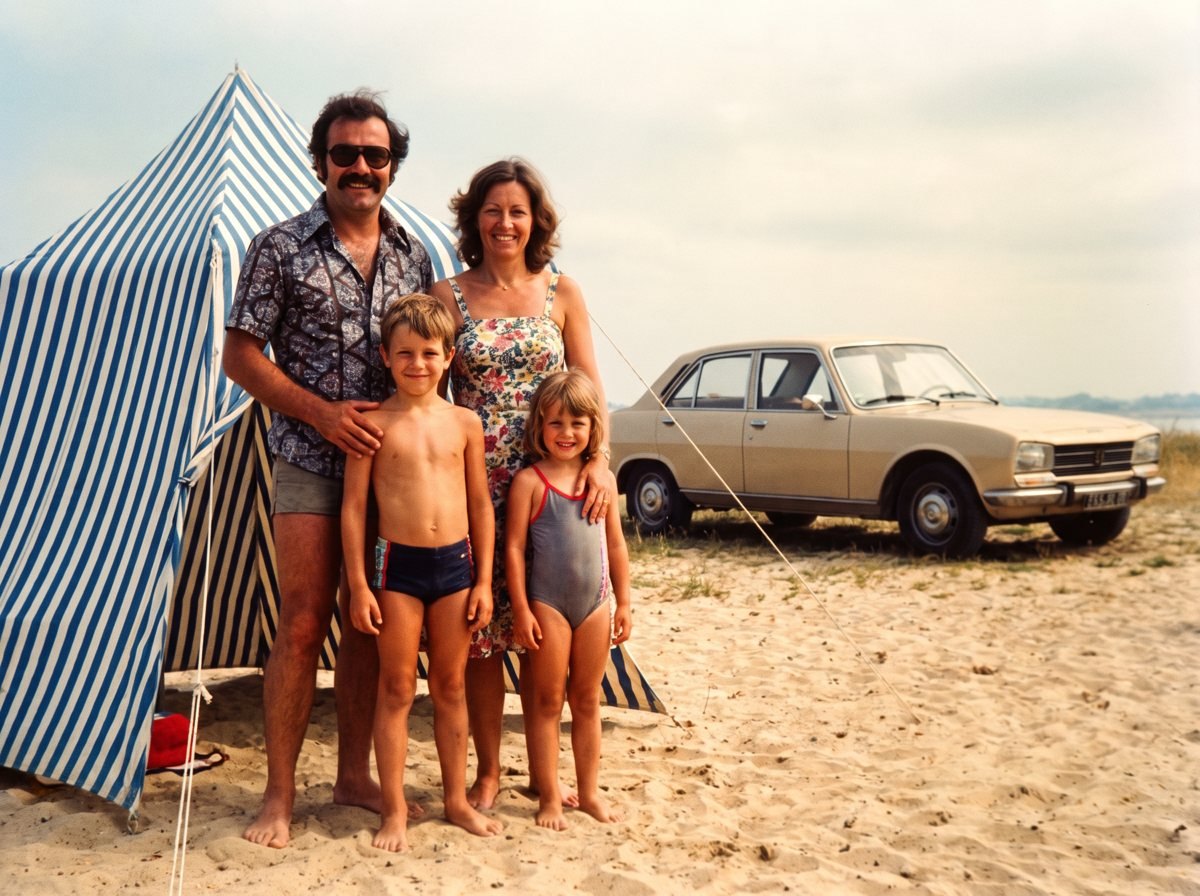
And there he was. My father, at twenty-eight, shirt open, on a beach I'd never known. He was laughing.
I had never seen him like that.
I sat in front of that little screen for a long time.
In these boxes, there are moments nobody has looked at in decades. Some of them, maybe never.
One afternoon. Then another.
I didn't do it all at once. An hour on Saturday. A few slides in the evening. Another batch on Sunday morning, with coffee.
It never felt like a chore. Every slide is a little surprise.
By the end of the third weekend, the box was empty. Everything was on the memory card. Done.
Fifteen years of putting it off. Three weekends to get it done.
The first thing I did was send the photos to my brother. He lives three hours away from me. We don't call each other enough.
He called back that same evening. We stayed on the phone for an hour.
A photo from 1969 did that.
Think about who you'll send the first photo to. And what they'll say when they see it.
Launch offer up to 50% off · 30-day money-back guarantee · Free tracked shipping
How it works, step by step
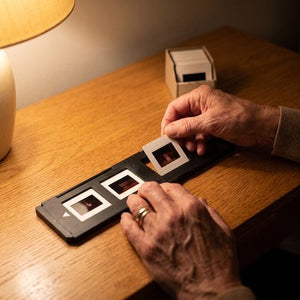
Place the slide, or the negative strip, in the included holder.
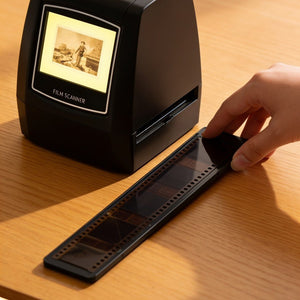
Slide the holder into the slot, then press the button.
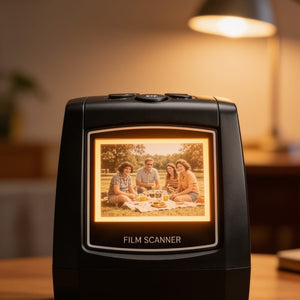
Three seconds later, the photo is on the screen and on the memory card.
A trick I figured out fast: get the next four slides ready while the photo saves. You reload the holder without losing any time.
What changes everything compared to what I'd tried
- Faded film comes back. Automatic correction brings colors back to life, even on slides I'd already given up on.
- No computer, no technical know-how. If you can press a button, you can use it.
- Your originals never leave your table. Nothing to mail, nothing to wait for, nothing to hope for.
- You see every image the moment it's scanned, on the built-in screen.
- Everything is saved to the SD memory card. The scanner connects to your TV with the included cable, and the card can be read on a computer or dropped off at a photo shop.
- 35 mm slides and 35 mm negatives, color and black and white. Both holders are in the box.
"Will it work for me?"
- "My slides are really old and faded."
- Yes. Automatic correction was designed for exactly that. Film that's badly damaged will stay damaged, no device works miracles, but the image will be saved before it's too late.
- "I have negatives, not slides."
- Both. The negative holder is included, for color as well as black and white.
- "I'm not comfortable with technology."
- One button. The large-print English guide walks you through it step by step. And a real person answers you in English, seven days a week, all the way to your first scanned photo.
- "What about my paper photos?"
- No, and we'd rather tell you upfront: the device reads film, slides and negatives. Not paper prints. If your memories are boxes of slides and sleeves of negatives, that's exactly what it was made for.

They reopened their boxes
"Very effective and easy to use. The image quality is very satisfying. The screen lets you clearly see the corrections you can make."
"Complete package, everything works perfectly. The manual is illustrated like a comic book, practically intuitive."
"Order arrived quickly, carefully packed. Perfect for what I wanted to do with it: save my memories."
Up to 50% off this week · 30-day money-back guarantee
Where to find it, and at what price
The Bellaby Memory Scanner is only sold on the official website, bellaby-us.com. You won't find it in stores.
When I'd asked a lab for a quote, they talked about several hundred dollars for my father's box alone. Charged per slide. Before I'd even seen a single image.
Here, it's a single purchase. Your whole collection, at home, at your own pace, for as long as you want. And your parents' collection, your sister's, your neighbors'.
For the launch, the device is half price this week.
Essential Pack
- The scanner, both holders, the cables
- SD card not included
Comfort Pack
- Everything in the Essential Pack
- 32 GB SD card included (about 15,000 photos)
- Ready to scan out of the box, nothing to buy
Family Pack
- Everything in the Comfort Pack
- A second 32 GB SD card
- One card to keep, one to give to the kids
Zero risk
Order it, scan your first box, show the photos to the family. If your heart isn't in it, send it back within thirty days: refunded, no questions asked.
The box won't digitize itself
It's been there for years. It's not going to get any better with time.
It took me fifteen years to start. Three weekends to finish.
Start this weekend.
See the 50% off offerLimited launch stock · Free tracked shipping · 30-day money-back guarantee